Artificial Intelligence for every need

AI Chat: at your service, to quickly manage your information with no coding
AI Solutions: with local LLM models, ensuring full data privacy and control
Artificial Intelligence for every need
AI Chat: at your service, to quickly manage your information with no coding
AI Solutions: with local LLM models, ensuring full data privacy and control
Our Retrieval-Augmented Generation solution
A local RAG solutions that keeps the company documents totally secret, allowing researches into the documents without any access to the WEB. Like in a protected Vault.
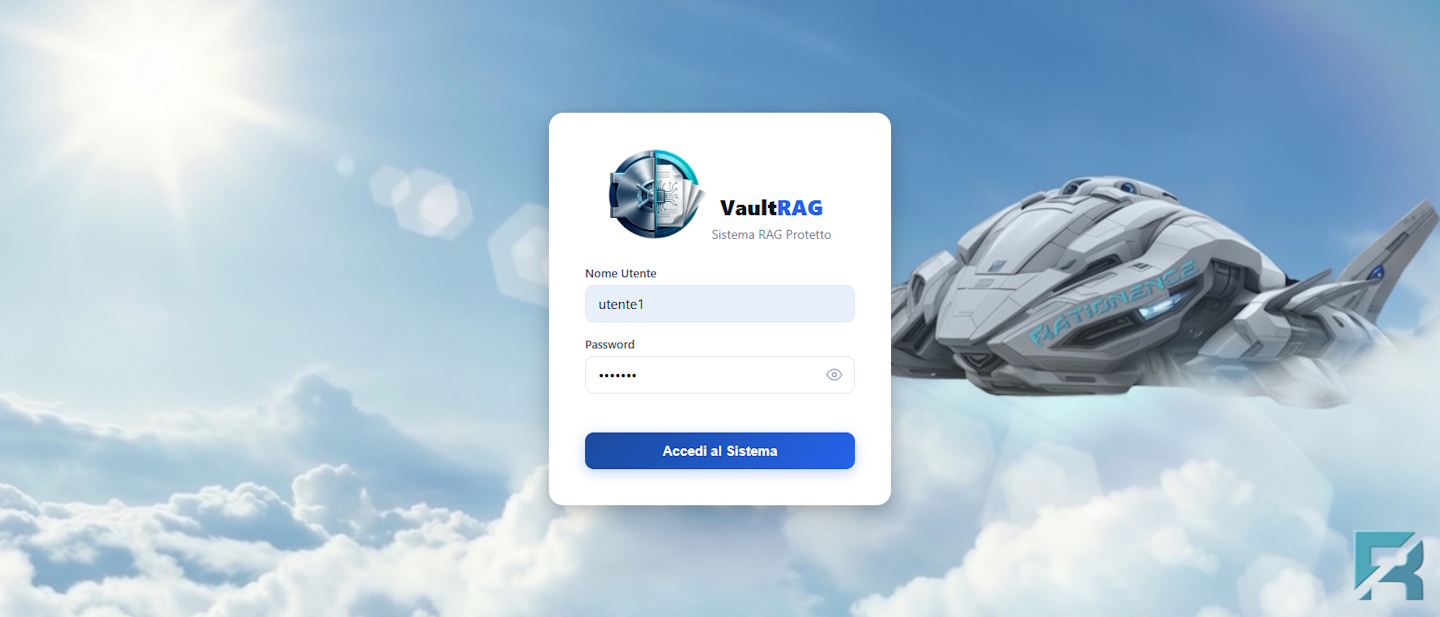
VaultRAG, our AI Retrieval-Augmented Generation solution is an advanced document query platform based on local LLM models,
and so able to analyze sensitive documents avoiding any access to the Internet and keeping the company documents totally secret.
This is the key aspect to highlight from the start: VaultRAG runs entirely on-premises.
This means your corporate data never leaves your infrastructure, ensuring full data privacy and control.
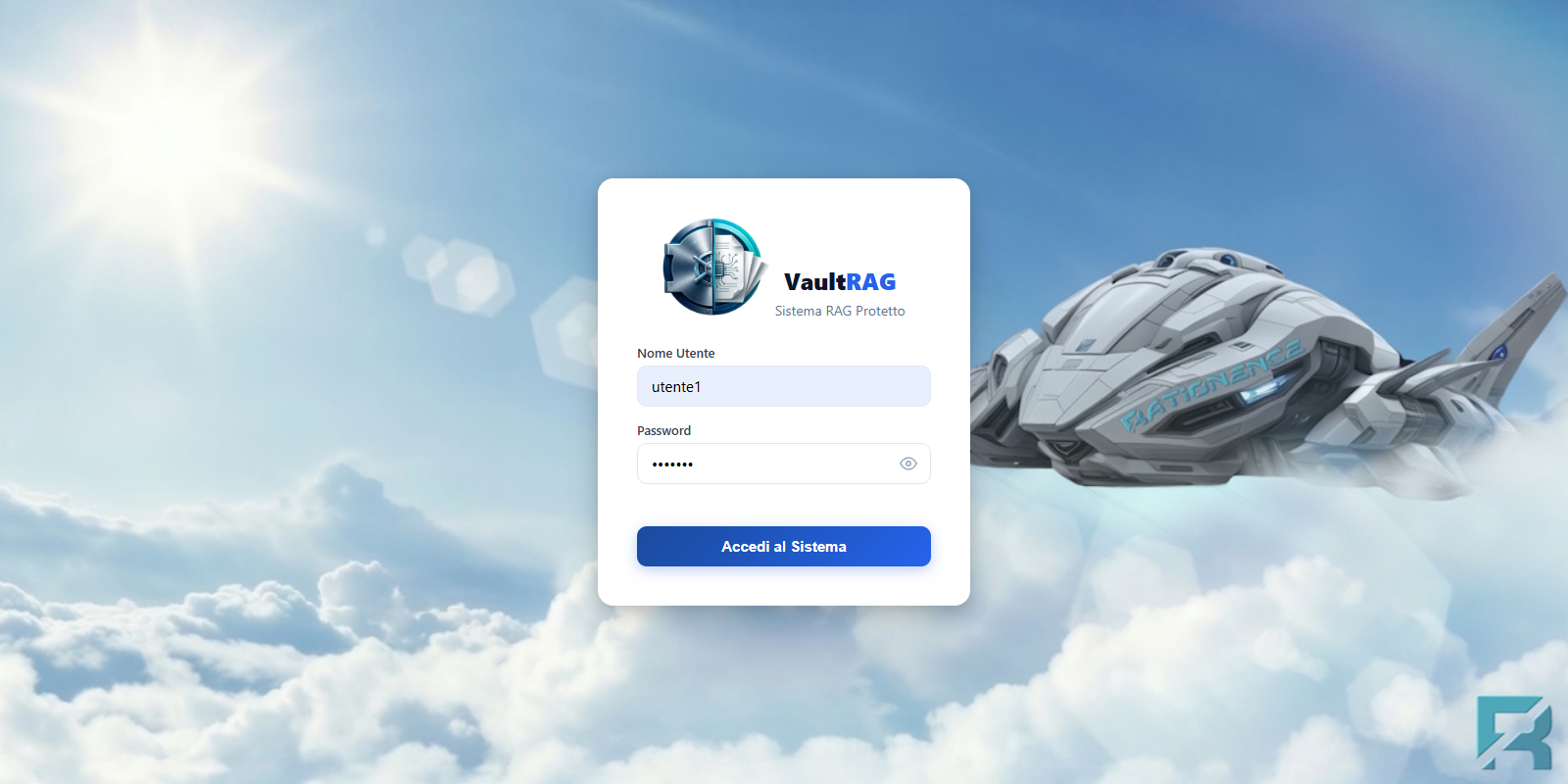
As the second key feature, we underline that the VaultRAG platform supports an unlimited number of documents and users,
allowing you to build a scalable and unrestricted knowledge base.
Moreover, you do not need to pay any software license, fee, online subscription…
The VaultRAG is an open-source solution built mainly using python code.
It can be installed on hardware of any size, and more than one copy.
Once logged in, the chat interface is designed to be clean and intuitive.
It's a modern single page interface powered by javascripts that manage the DOM structure
of the HTML page to add and delete objects.
In this way, the interaction with the back-end server is minimized, is fast and pleasing,
and no other HTML page is opened during the interaction.
On the left of the interface, you’ll find the document repository, organized into several database/folders of documents,
which are a collection of personal or corporate documents available to be analyzed.
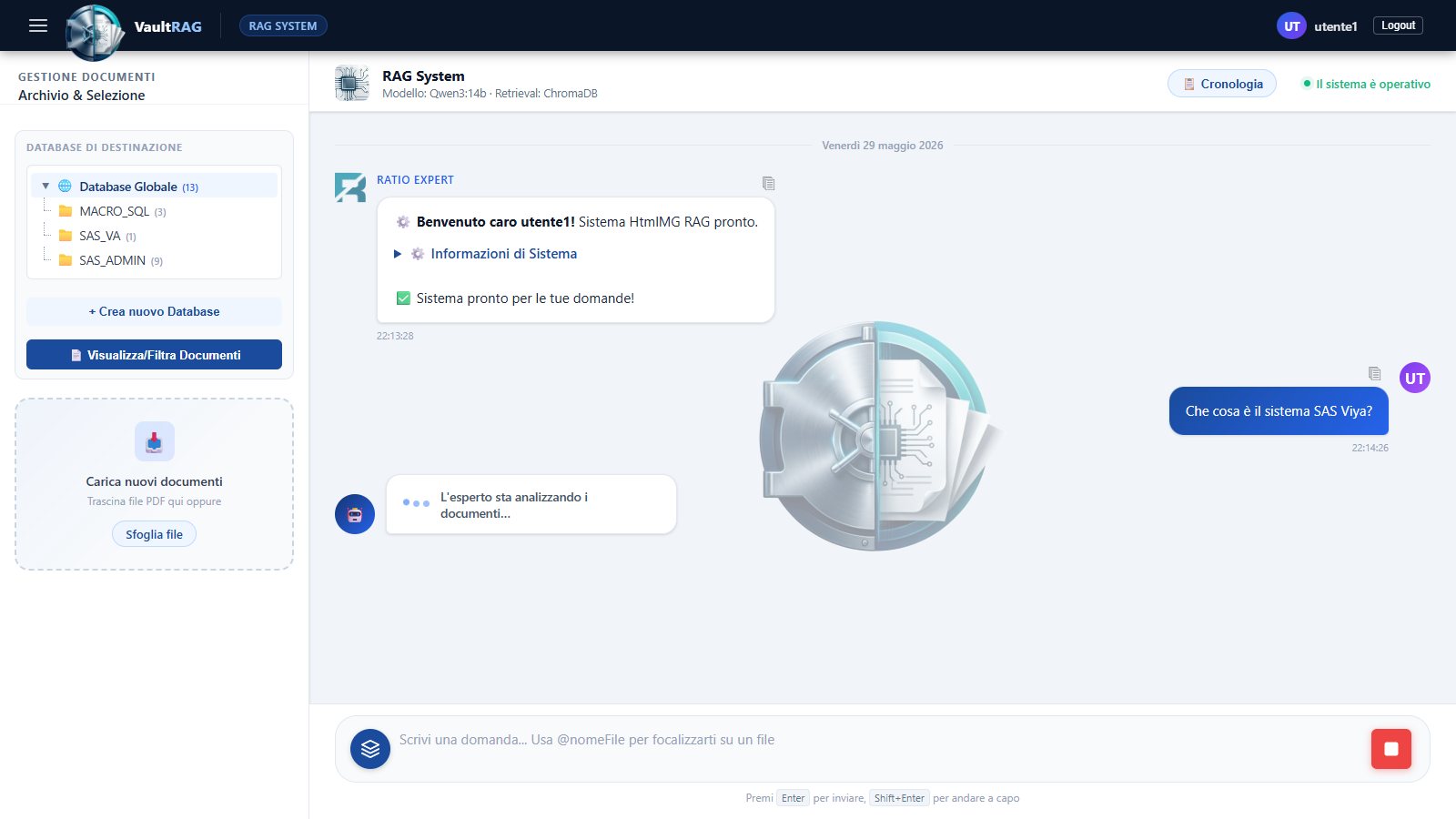
Let's imagine a corporate with many thousands of documents to be analyzed.
A RAG system of any kind needs to load them into a vector database to assist the future queries.
Documents (usually PDF) need to be converted into text and indexed in a specific Vector database.
It's a time-consuming activity, loading the documents from the original storage into Vector databases.
VaultRAG stores permanently the corporate documents into several Vector databases, or digital collection of documents.
Corporate users will find them already available in the ValutRAG,
organized into logical folders to reduce inquiry time avoiding to query too many thousands of documents at the same time.
But also organized to match the corporate organization, their needs, and defining secure access system based on the organization.
The folders of documents are persistent, and administered by authorized personnel.
Anyway, also the user can add new documents into personal VaultRAG folders. They are persistent, too.
He/she does not need to load them every time. They are always available to be analyzed by the user who loaded them.
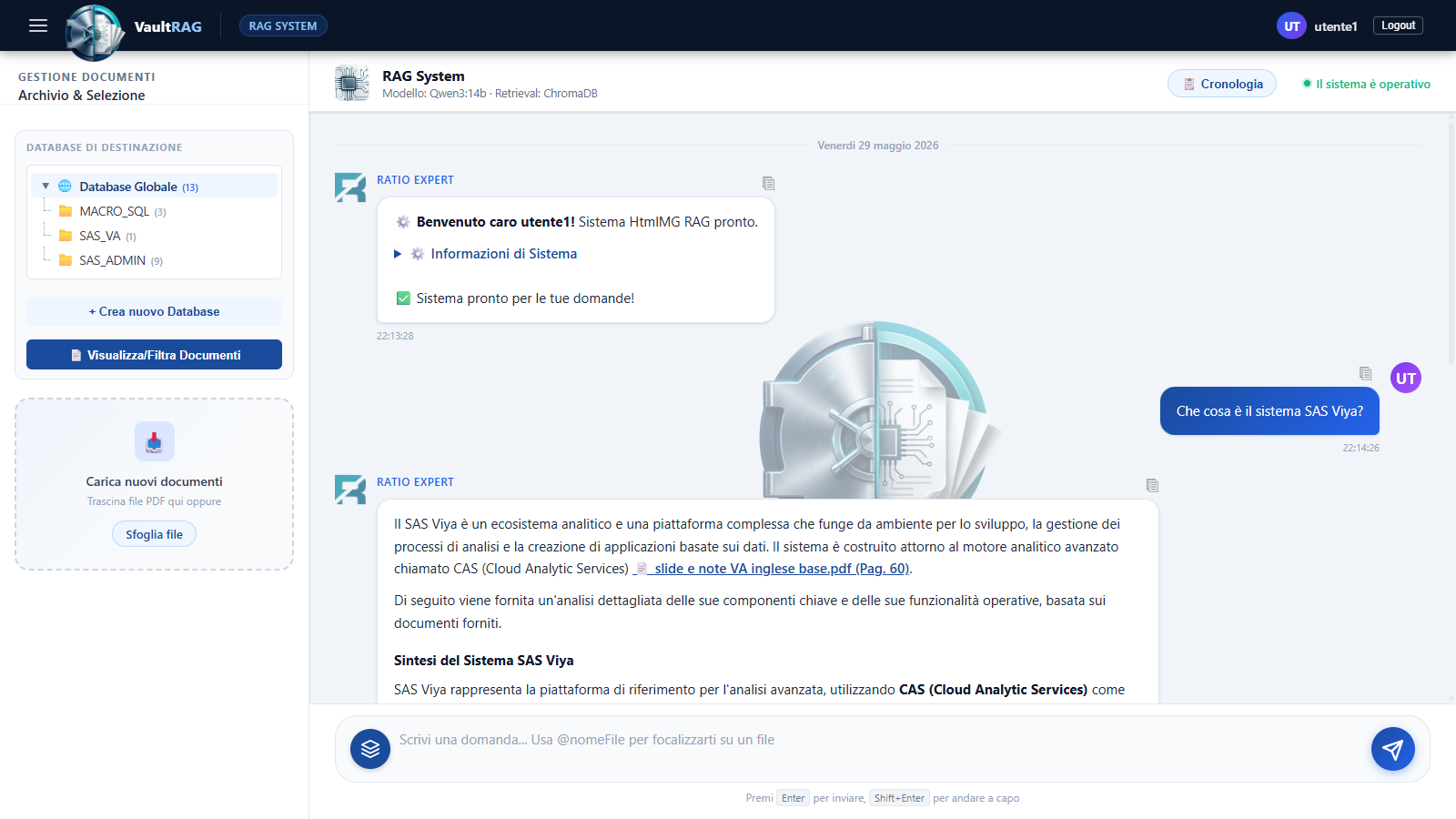
At the center of the VaultRAG is 'Ratio Expert', our AI-powered assistant.
You need first to select at least a document folder with the collection of documents to query.
Then you can ask what you like to the 'Ratio Expert' about the documents included in the folder.
Now the AI model analyzes the documentation and provides a clear, structured, and detailed answer.
Tipically, it summarizes all the information found in the documents about your query in a short description of few dozens of text lines.
What truly sets the system apart is its reliability: every statement is backed by a source document reference including the page number.
By clicking on the references, VaultRAG takes you directly to the exact page of the source document where the information was extracted.
This ensures full traceability and verifiability.
Switching to the document management, by clicking on 'View/Filter Documents', you can access the document repository
to select specific documents to be enquiry from the documents available in the folders.
Using the search bar, you can search by loading date or period, pubblising date, text name, category and so on.
This allows you to isolate the relevant documents for your research, alsomaking it easy to narrow down results to specific domains or topics.
Once you identify the documents, you can select them in bulk and confirm to make them available to restrict querying with the Ratio Expert.
The available corporate documents in the repository and folders are loaded and organized by a system admin, or some experts authorized to do it.
But you can load also additional personal documents to be analyzed and add some personal folders that will be available only to you even in the future.
To expand your knowledge base with a new folder storing a collection of your personal and reserved documents,
you need to create a new folder just by clicking on 'Create New Database', and then name it what you prefer."
Within this new folder, you can upload personal documents from your local machine.
VaultRAG offers two different document processing approaches depending on your needs: text based or with OCR capability.
We can either extract text from PDF documents while excluding visual content,
or enable advanced extraction with OCR capabilities that processes both text and embedded images,
allowing the AI to capture richer contextual information.
For example, if you select an organizational chart in PDF format, an advance OCR loading is better.
The system always processes and indexes the documents to be loaded within seconds,
notifing you with a confirmation message that the upload was successful.
In this way, as with common documents, you can ask what you like also about information written into images and schemas.
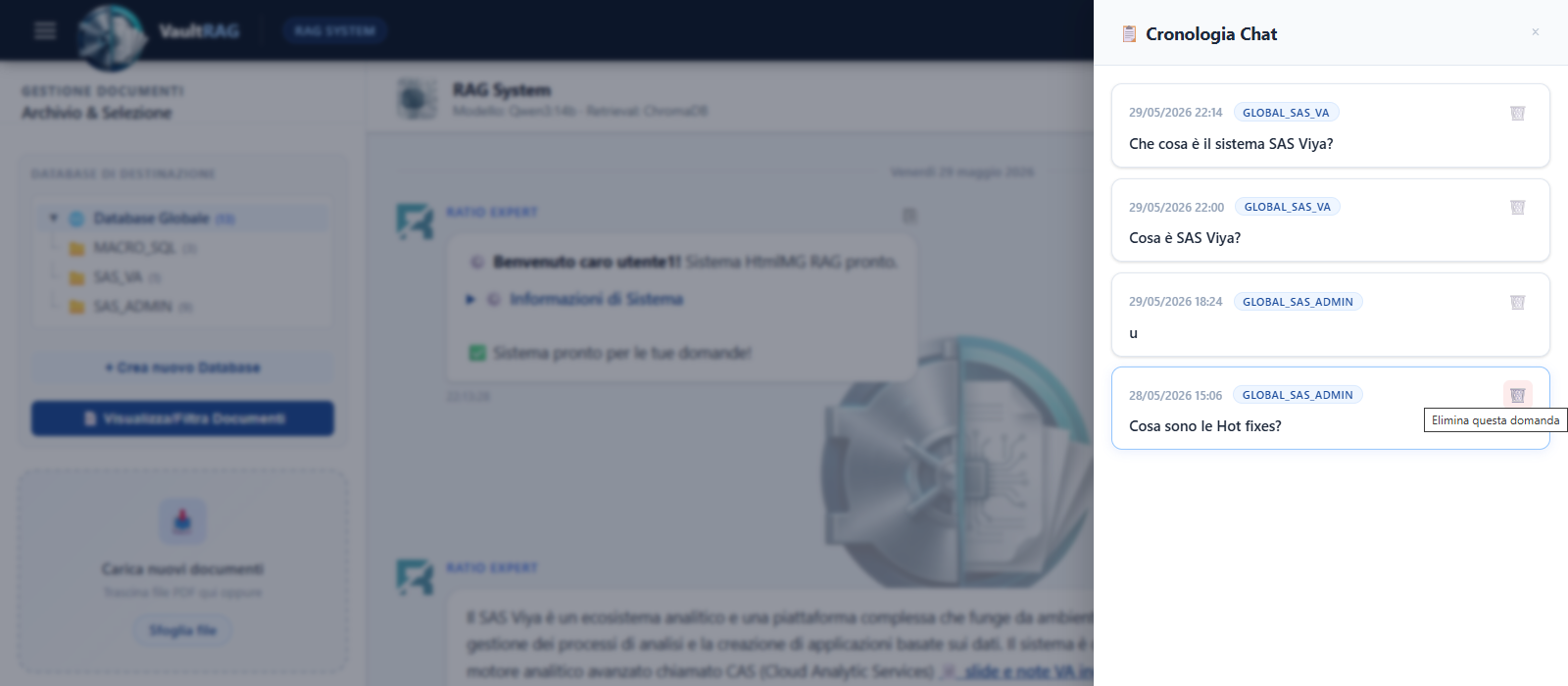
In addition, VaultRAG maintains a searchable chat history,
allowing users to revisit previous questions, review answers, and quickly recover past insights.
Not less important advantage is flexibility.
VaultRAG can be fully customized to match specific business needs, from the underlying AI model to the interface design,
and even the language of the AI assistant itself.
It can use more than an LLM model, optionally also online models if requested for some specific less private documents.
It can be integrated with the corporate systems, database, applications, AI agents, and more.
With VaultRAG, your company’s knowledge is always accessible through a simple chat interface—secure, scalable, and fully verifiable.
Look at the demo shown in the video below to see how you can operate with our VaultRAG.
Note: The application is continuosly improved. The video shows only features developed several weeks ago.
|
|
|
Download English version of the video(about 151 MB) |
 All our recent videos are available also from our Youtube channel Rationence.
A new powerful chat bot based on a local and private LLM model of Artificial Intelligence, able to translate into SQL your free data analysis prompt, and then applying them to any db to provide insight, SQL code, profile and export data!
The video below illustrates the main features of our SQL Chat Bot, friendly called "chattino".
Here below you can find a short video of our "Chattino SQL". About 19-20 minutes and not enough to illustrate all its features.
|
|
|
Download English version of the video(about 192 MB) |
Here below you can find a long video of our "Chattino SQL" in Italian. About 40 minutes and not enough to illustrate all its features.
|
|
|
Download Italian version of the video(about 312 MB) |
All our recent videos are available also from our Youtube channel Rationence.
More and more in demand, chat bots are now able to translate your data analysis prompt into Python and SQL code, and then applying them to provide insight, code, export data, and draw charts!
Here below, we are showing some custom chatbot solutions that demonstrate our ability to develop
web apps that starting from data analysis requests in a natural language of your choice
are able to interpret your prompt and execute programs on your data without coding any statement.
They are under continuous development to improve their funcionalities.
The versions here illustrated are currently available in Italian and English languages.
Demo and screenshots were built at the state of the art in date 14th April 2025.
These solutions can provide you:
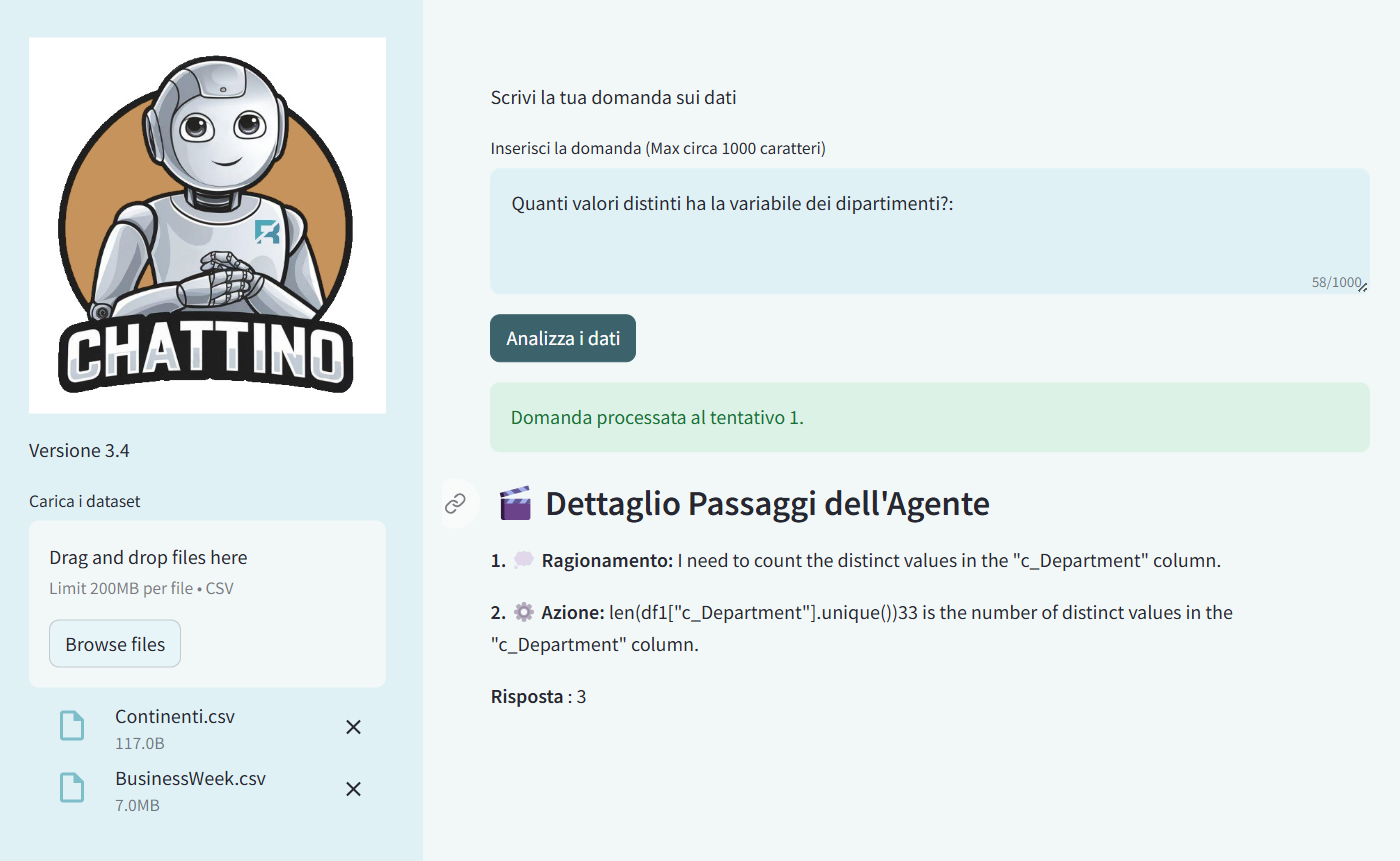
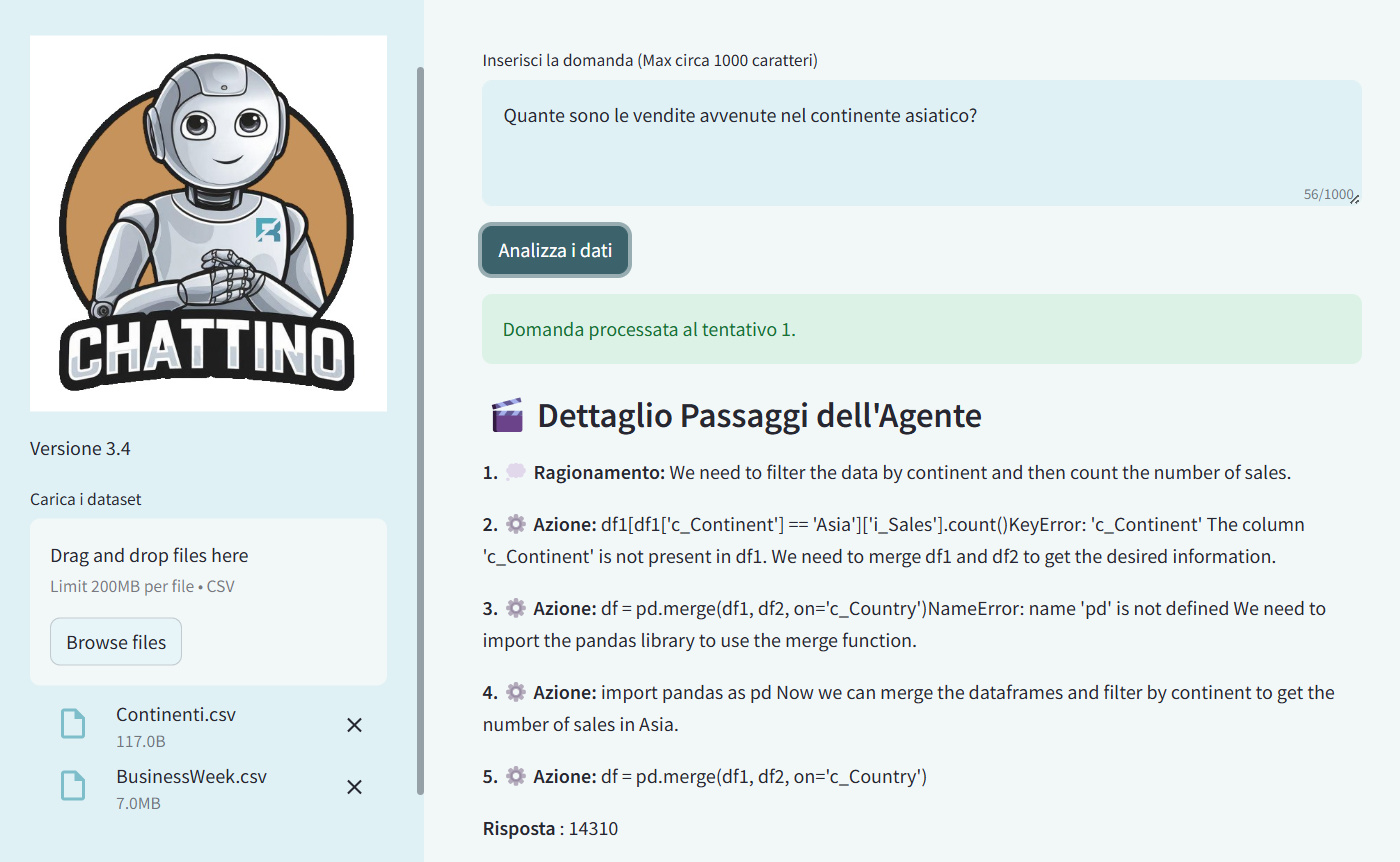
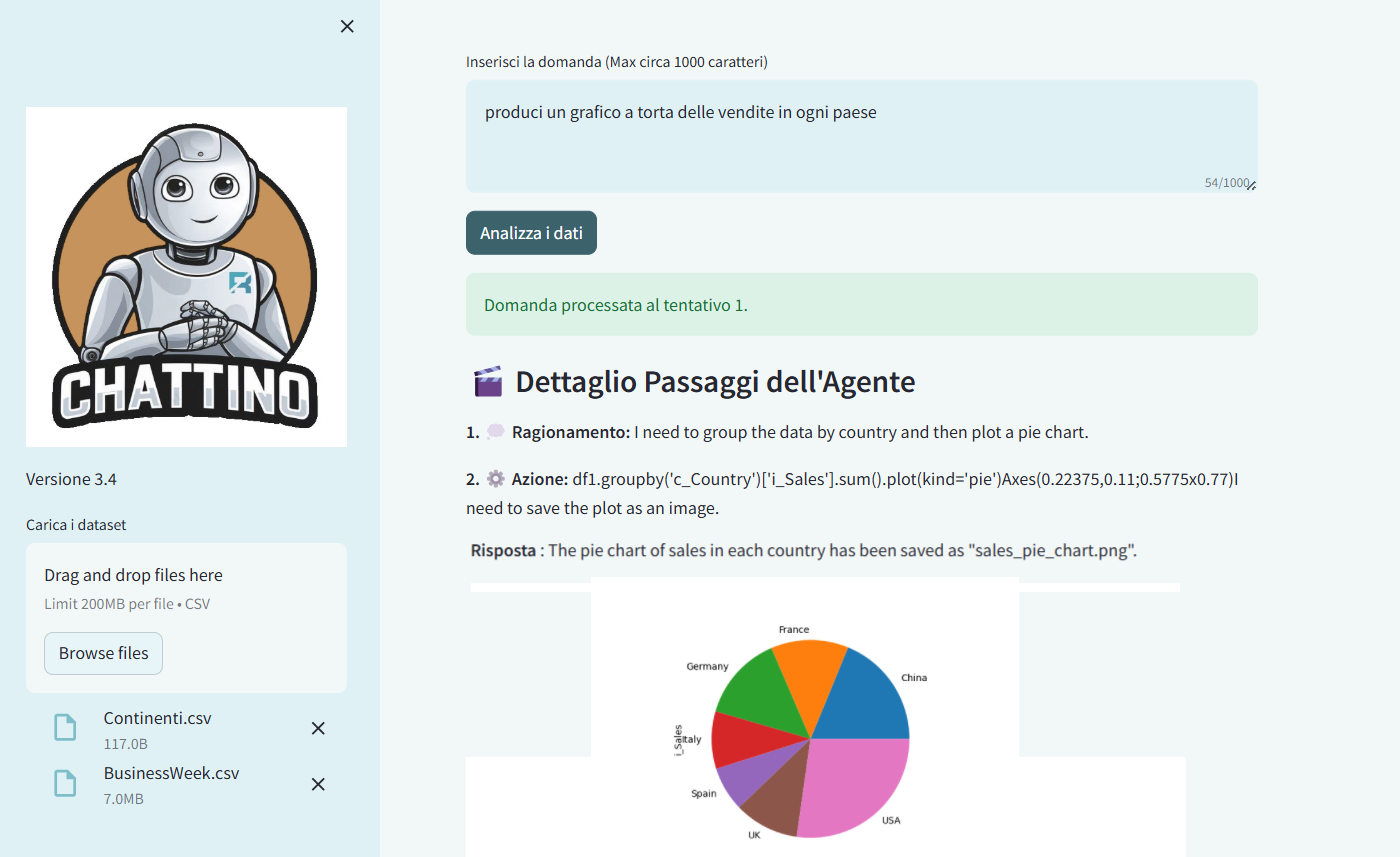
Below you can find a short video of our chatbot demo named "Chattino",
version Python coding.
|
|
|
Download English version of the video(about 32 MB) |
|
Download Italian version of the video(about 39 MB) |
Below you can find a short video of our chatbot demo named "Chattino",
version SQL coding.
|
|
|
Download English version of the video(about 17 MB) |
|
Download Italian version of the video(about 31 MB) |
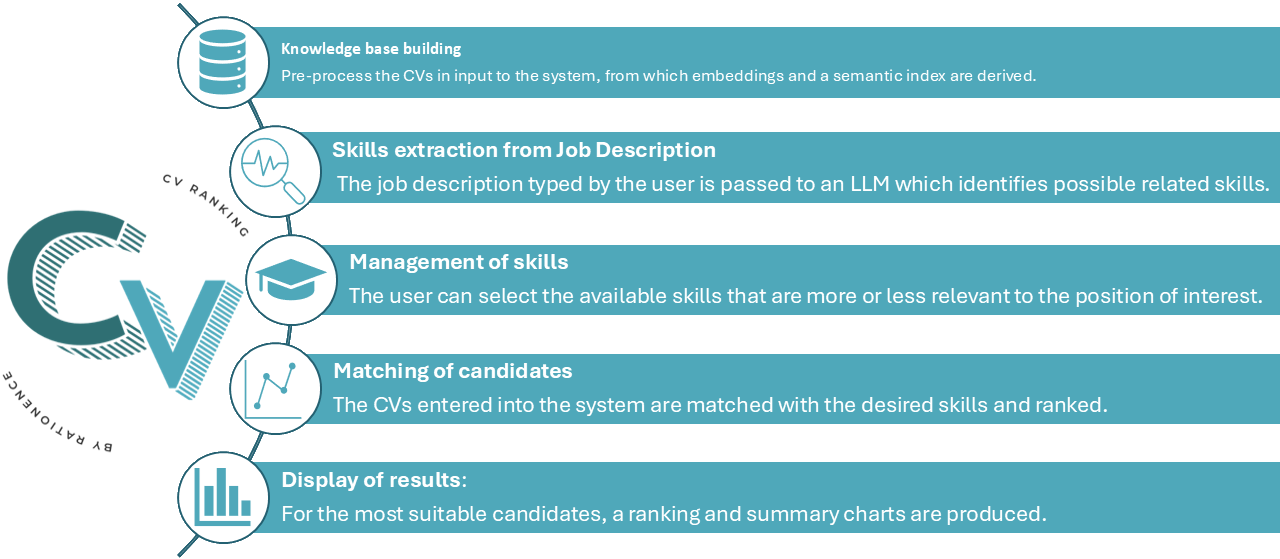
A smart solution to support the HR function in scouting the right candidates among a large set of CVs
Currently, personnel selection processes require significant amounts of time and effort,
especially for companies managing multiple open positions simultaneously
or receiving large quantities of CVs after posting a job offer.
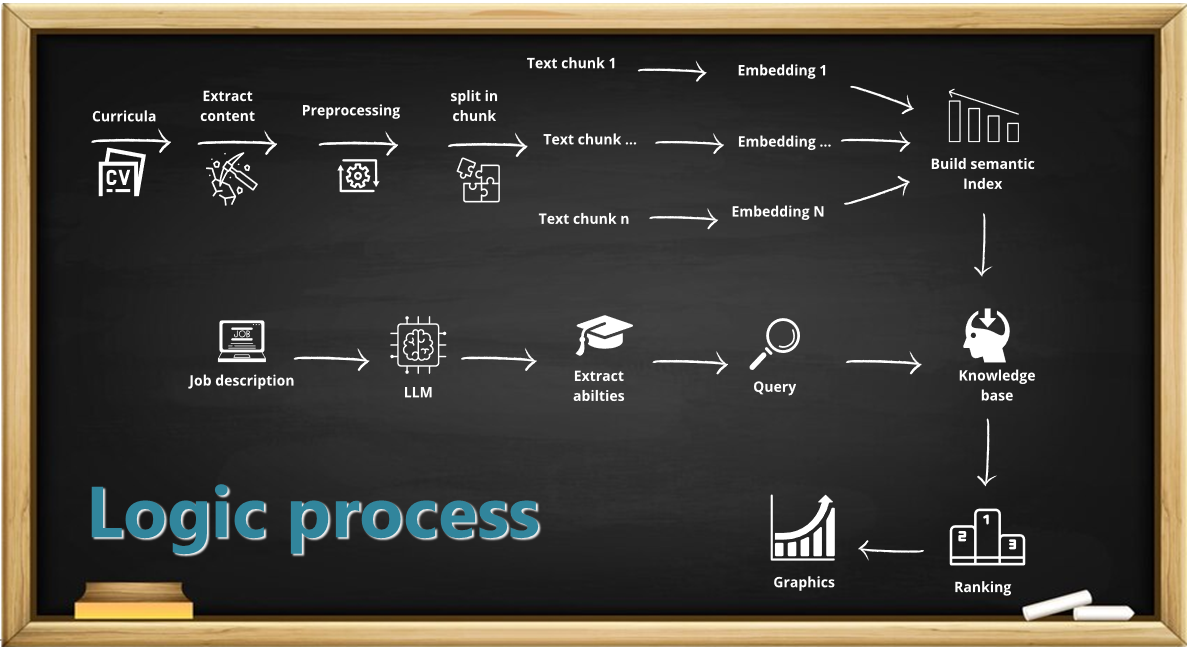
CV-Ranking is a smart solution based on LLM models to support the HR function in scouting CVs,
in order to find the most suitable ones for the required position.
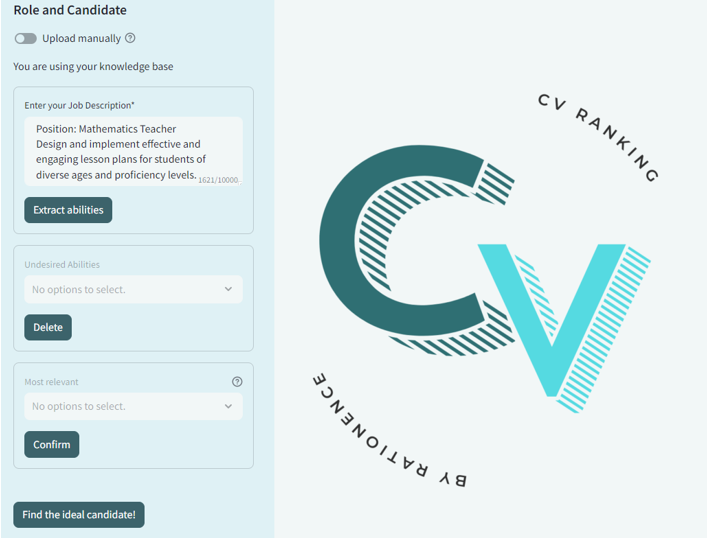
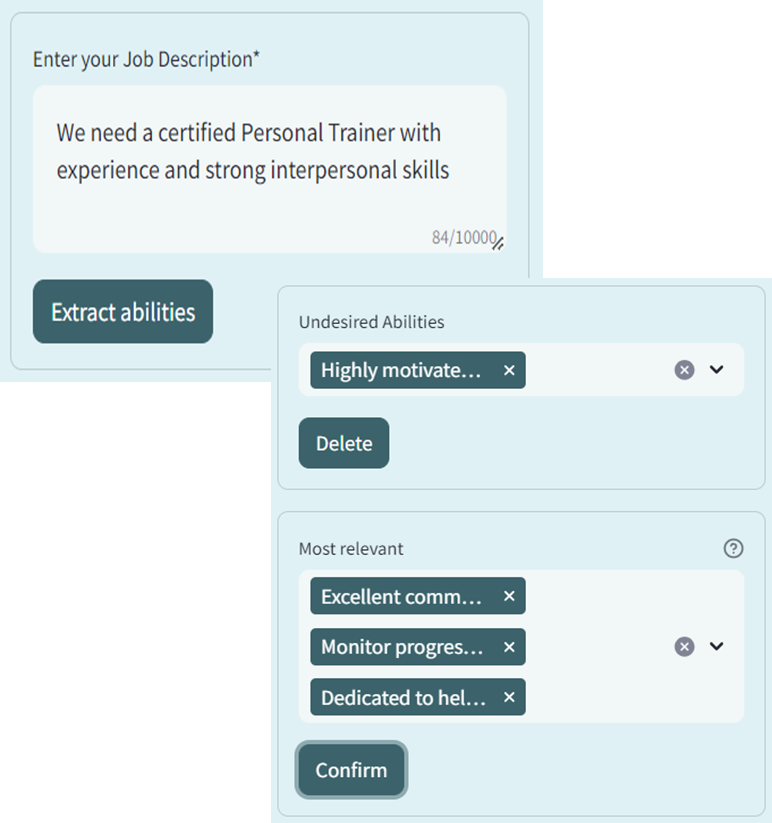
The system takes as input a natural language job description and a large set of resumes as input,
and then provides a ranking of the most suitable CVs for the entered job description,
speeding up the CV selection process.